Follows logged-in customers
The cart stays the same on phones, tablets and computers.

Shopify app · Cart
Keep every logged-in shopper's cart in sync across devices. Add an item on the phone, find it in the cart on the laptop.
See it in action
A shopper builds a cart on their phone. On the laptop, it's empty.
01 / 06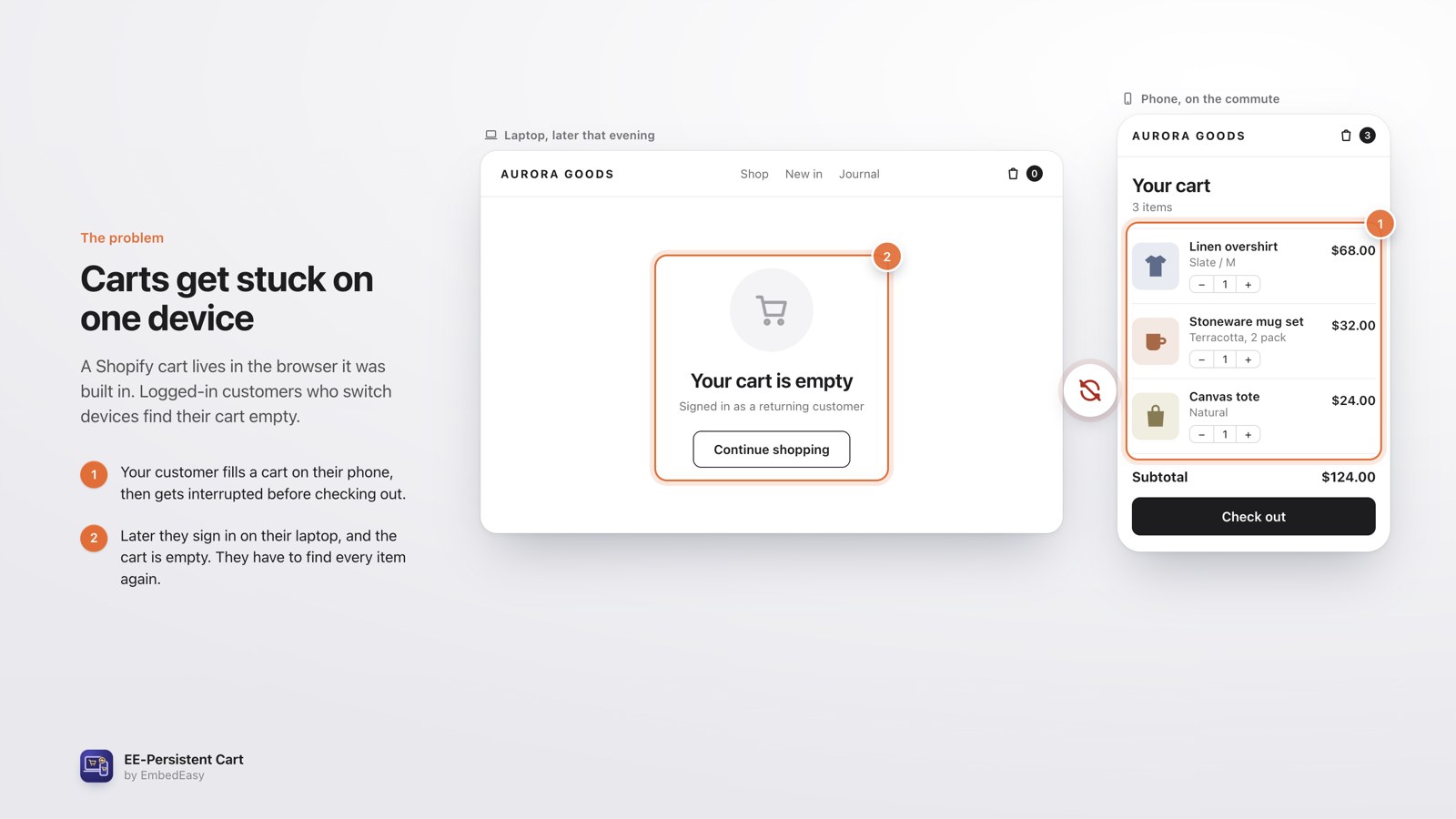 The problemA shopper builds a cart on their phone. On the laptop, it's empty.
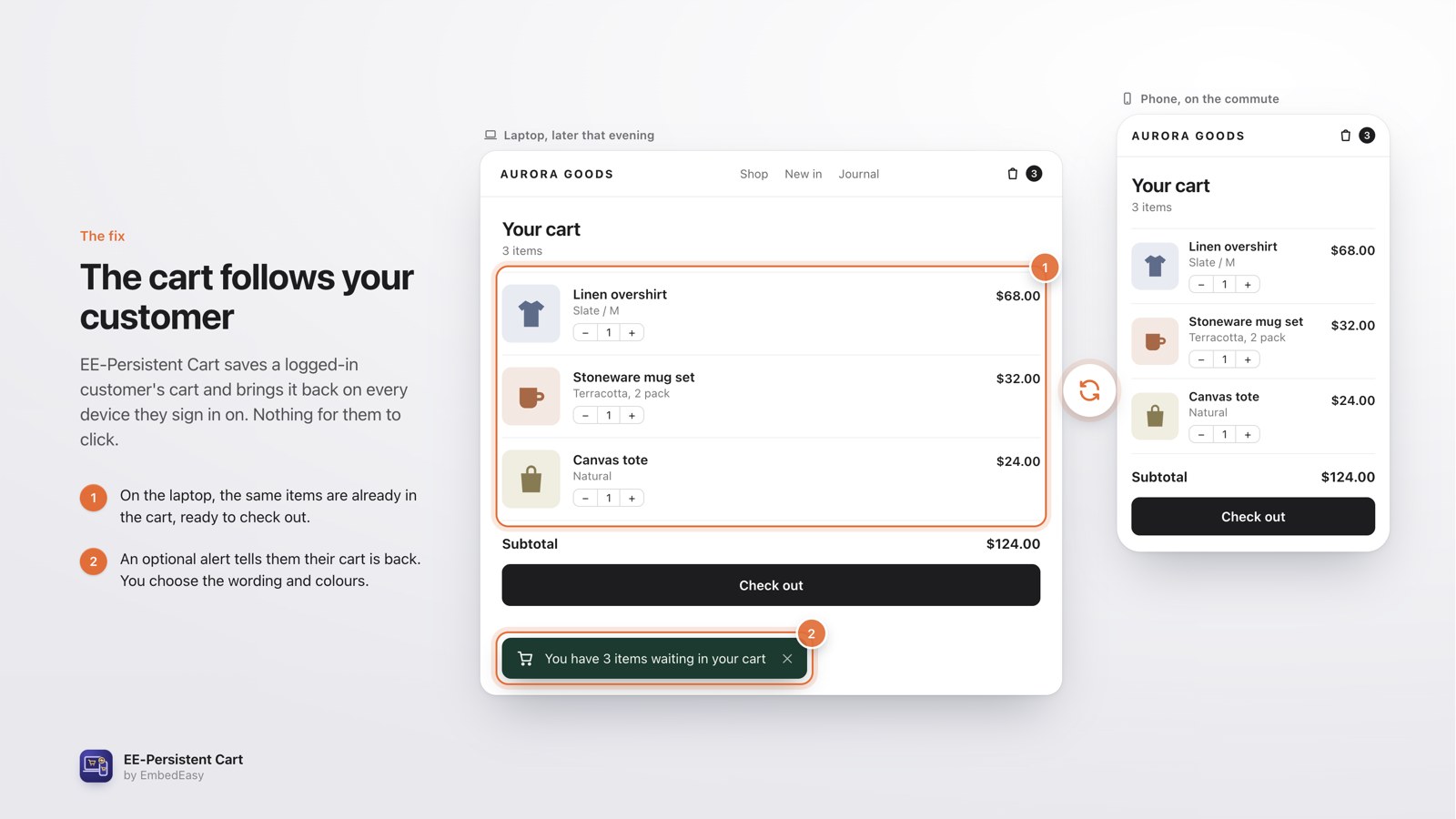 The cart follows themThe laptop cart now matches the phone, with a cart-is-back alert.
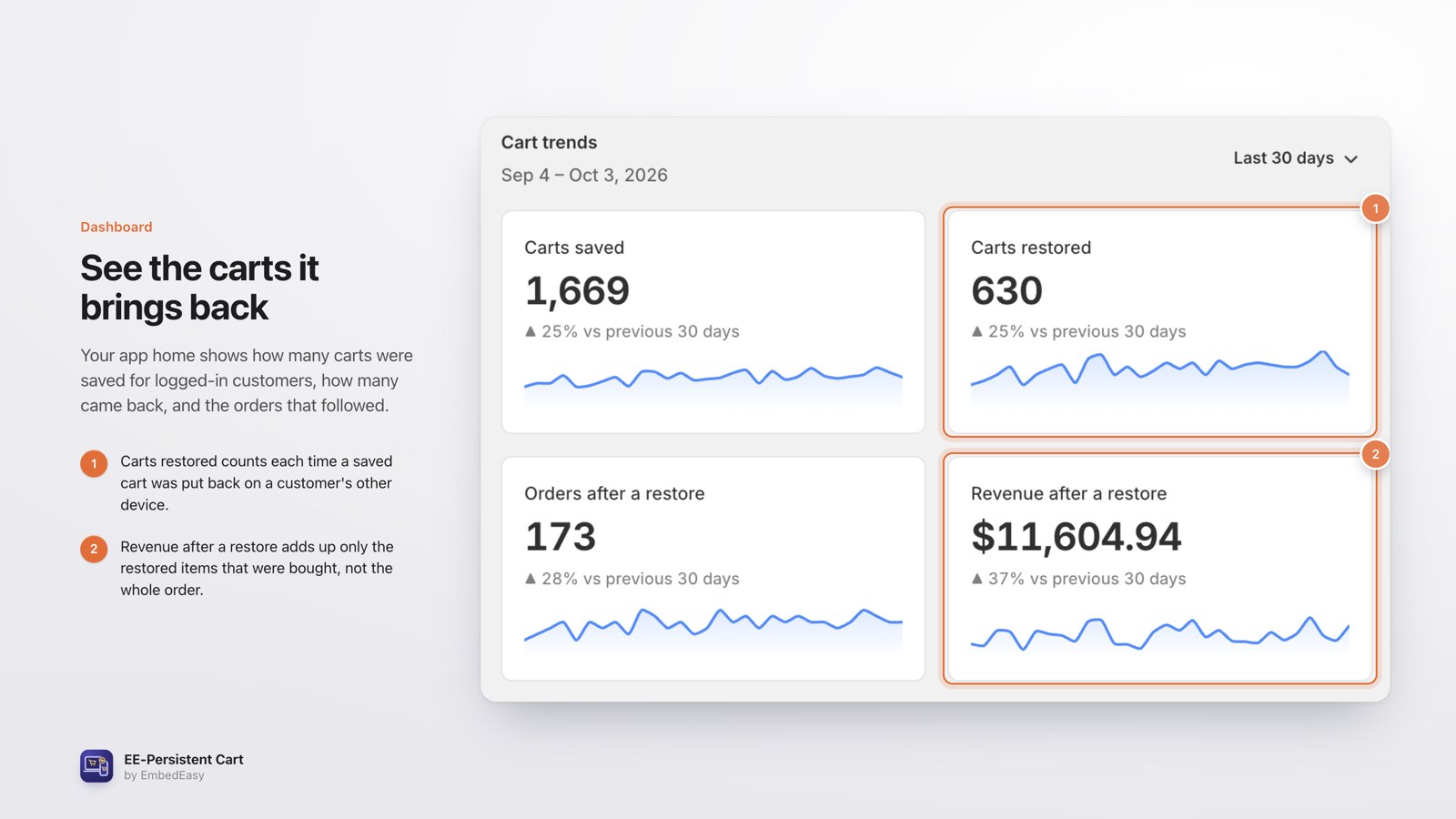 See what it's worthDashboard tiles: carts saved, restored, orders and revenue.
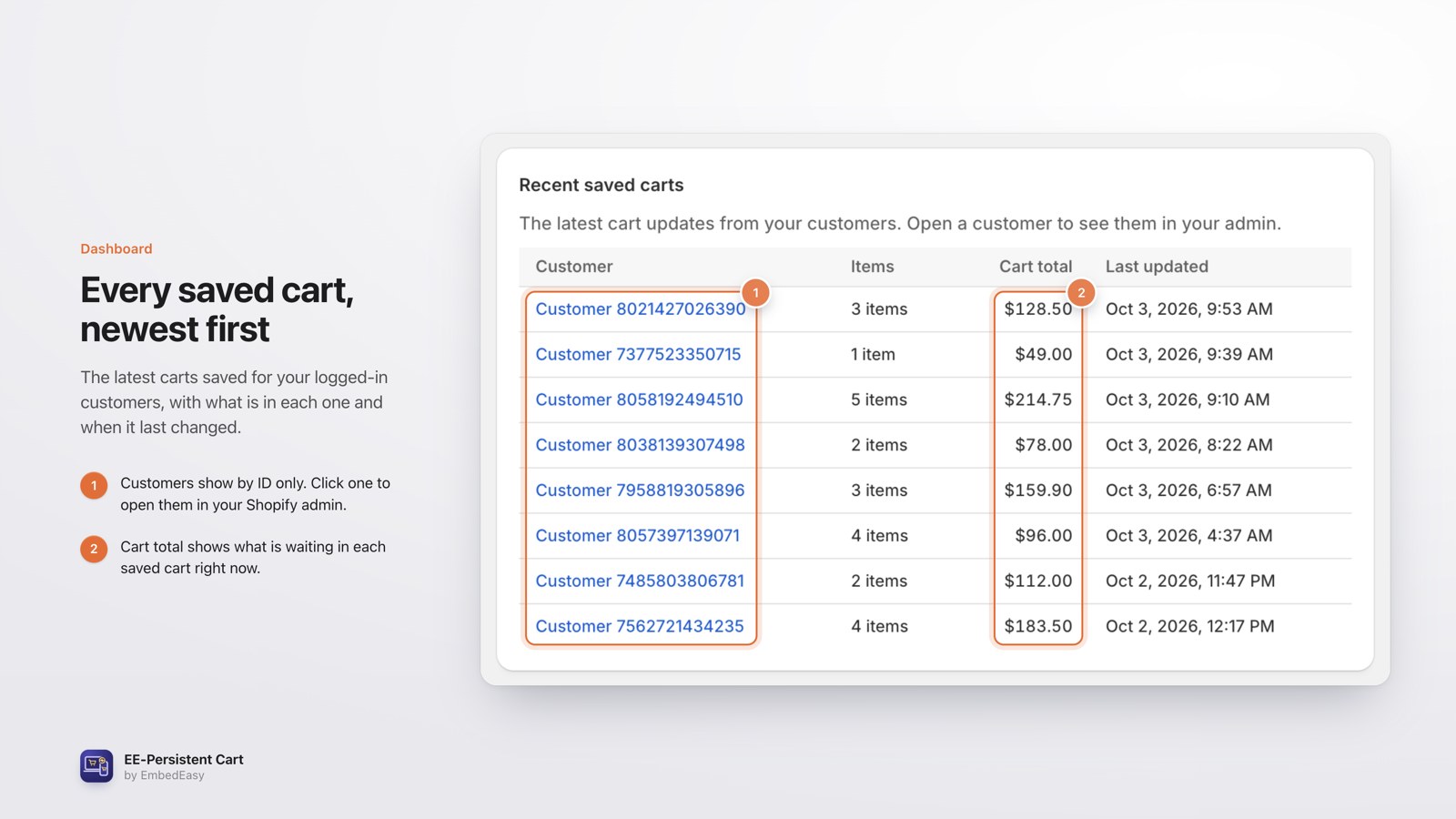 Recent saved cartsCustomer, items, total and when each cart was updated.
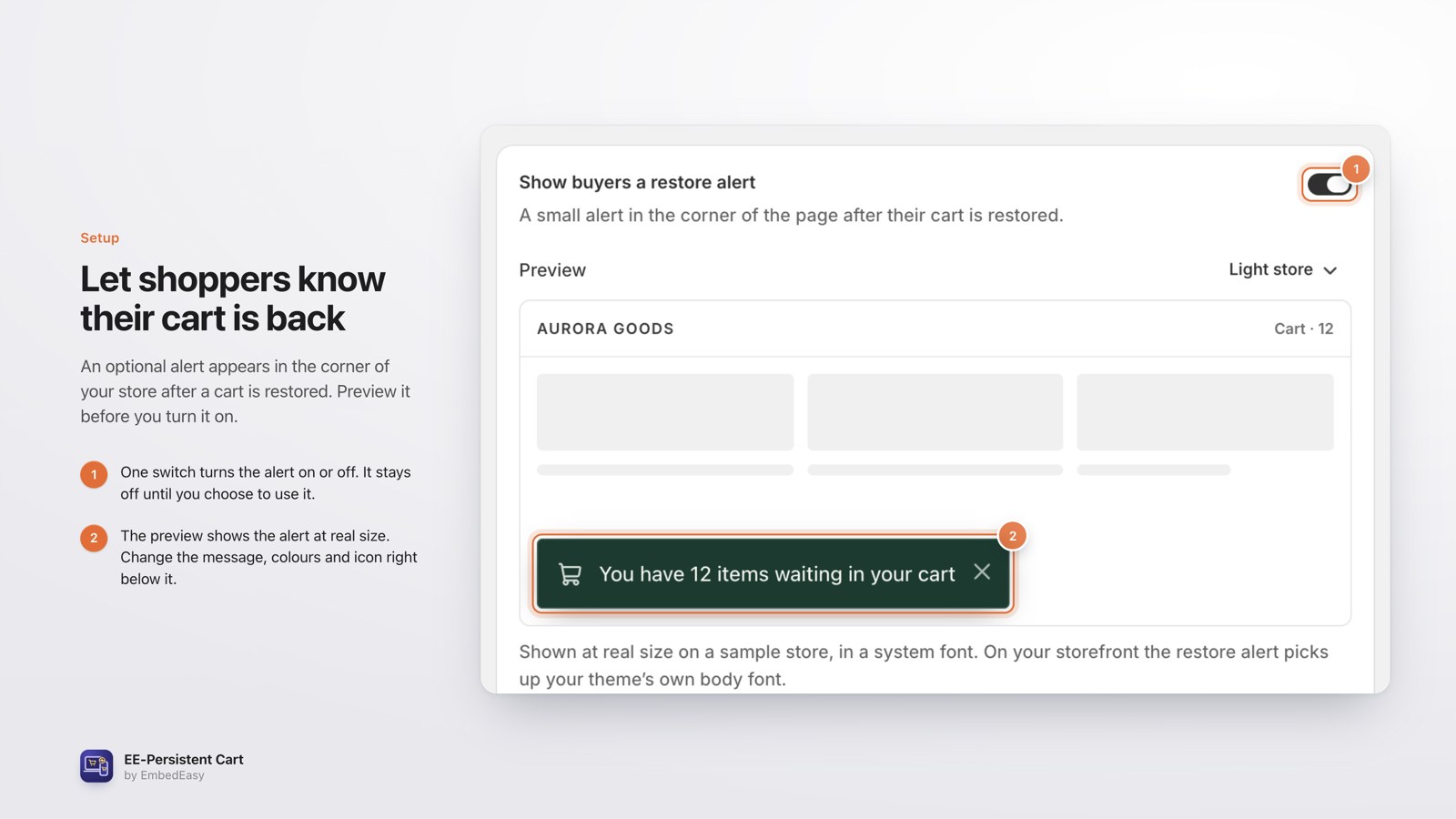 Restore alertAn on/off switch with a live preview of what shoppers see.
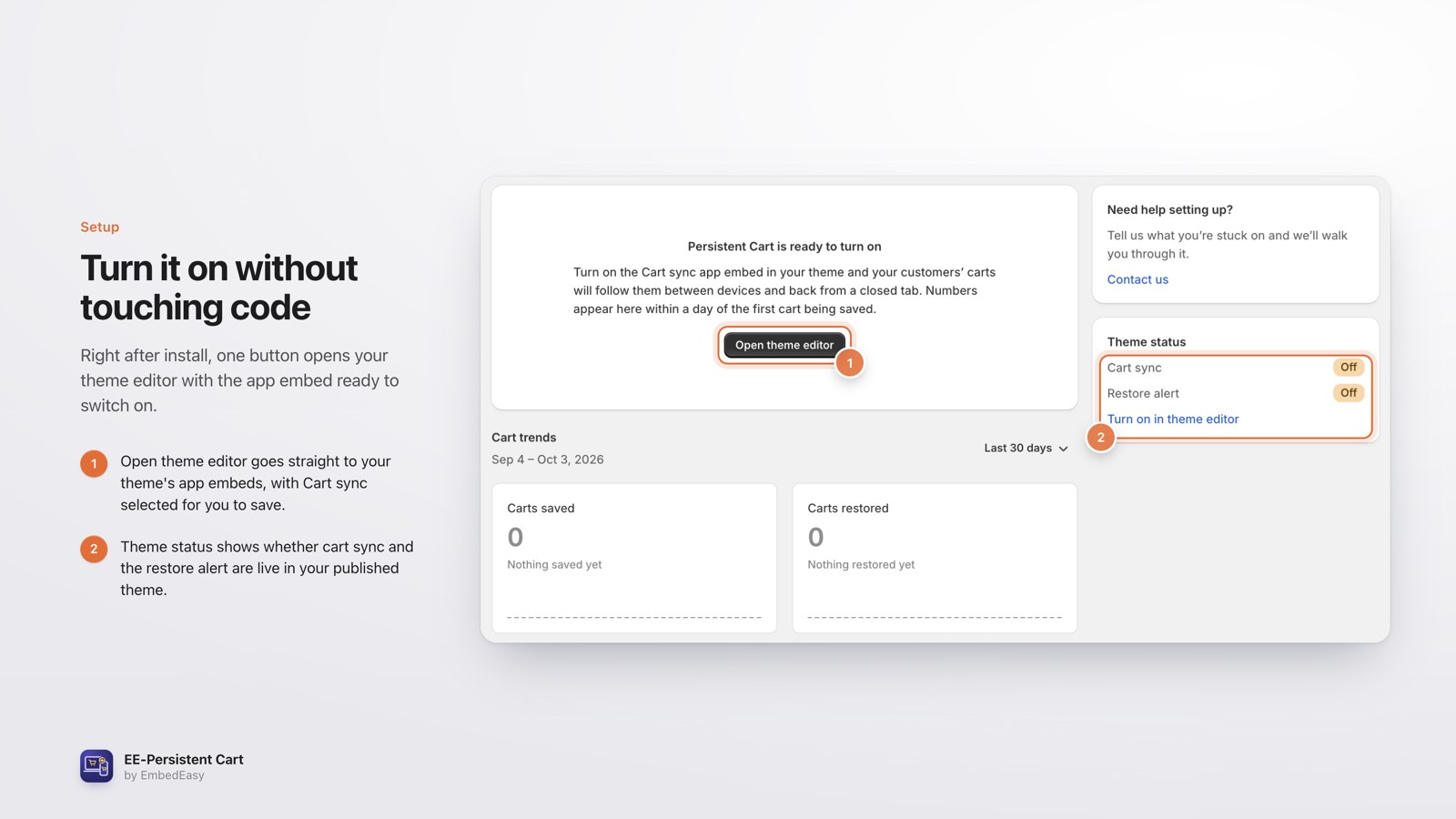 Turn it onFirst-run screen with Open theme editor and the theme status.
The power of Persistent Cart
The cart stays the same on phones, tablets and computers.
A guest cart merges into the saved cart at login.
Items removed on one device are removed on every device.
Tell shoppers their cart is back, with a live preview.
Carts saved, carts restored and orders after a restore.
Revenue after a restore counts only the restored items that were bought.
Road to live
Add EE-Persistent Cart to your store.
InstallOne switch. No theme code changes.
SetupLogged-in customers see the same cart on every device.
LiveOptional. Let shoppers know their cart is back.
OptionalThe app home shows carts saved and restored, plus orders and revenue after a restore.
ResultsGood to know
Guest carts are not synced, but they merge into the saved cart when the shopper logs in.
Turn it on from the theme editor. Your theme code stays untouched.
See the Shopify App Store listing for current plans.
Questions
No. Sync works for logged-in customers. A guest cart merges into the saved cart at login.
It's removed on every device the shopper uses.
No. Turn it on from the theme editor.
Yes. The app home shows carts saved and restored, plus orders and revenue after a restore.
More from EmbedEasy
Get Persistent Cart